Project command
Move every order from brief to delivery
Track scope, milestones, assignments, time, files, approvals, invoices and client communication inside one project.
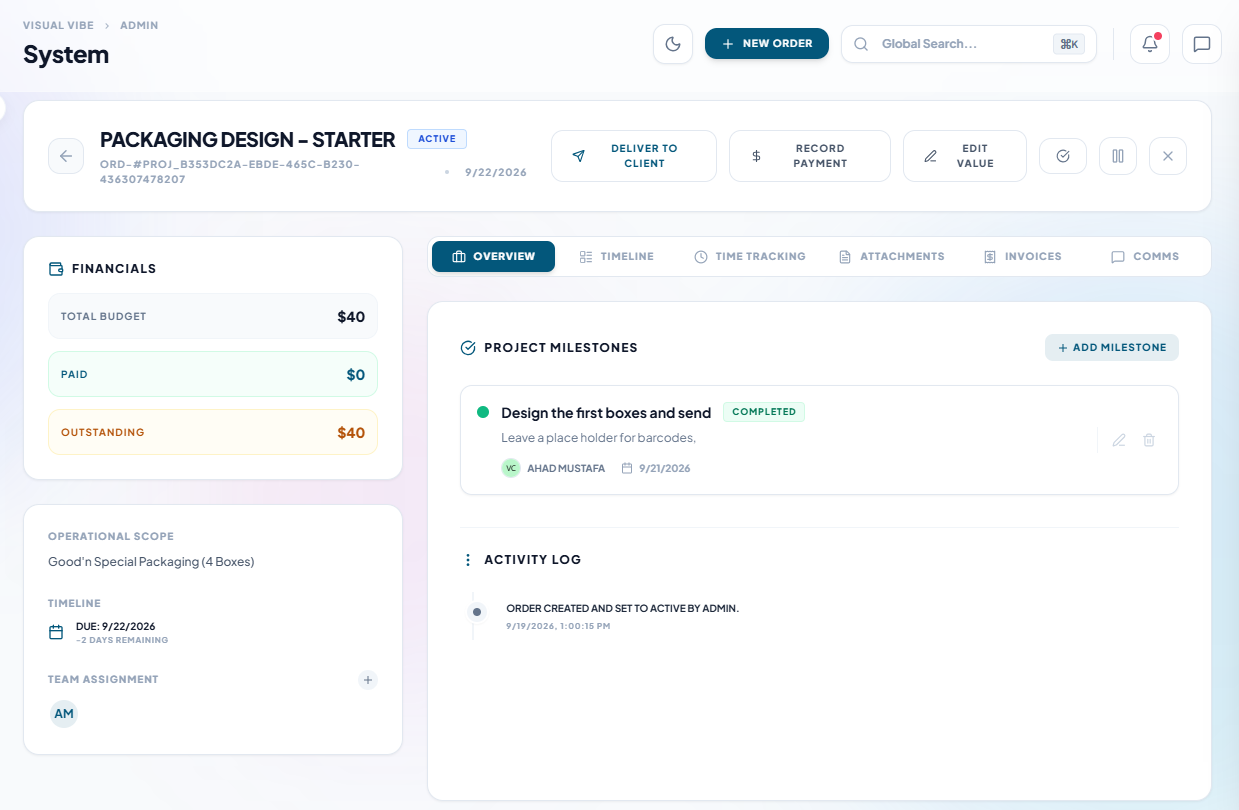
Agency management software features
Explore project delivery, monthly retainers, onboarding, scope control, time and costs, team planning, client approvals and connected updates.
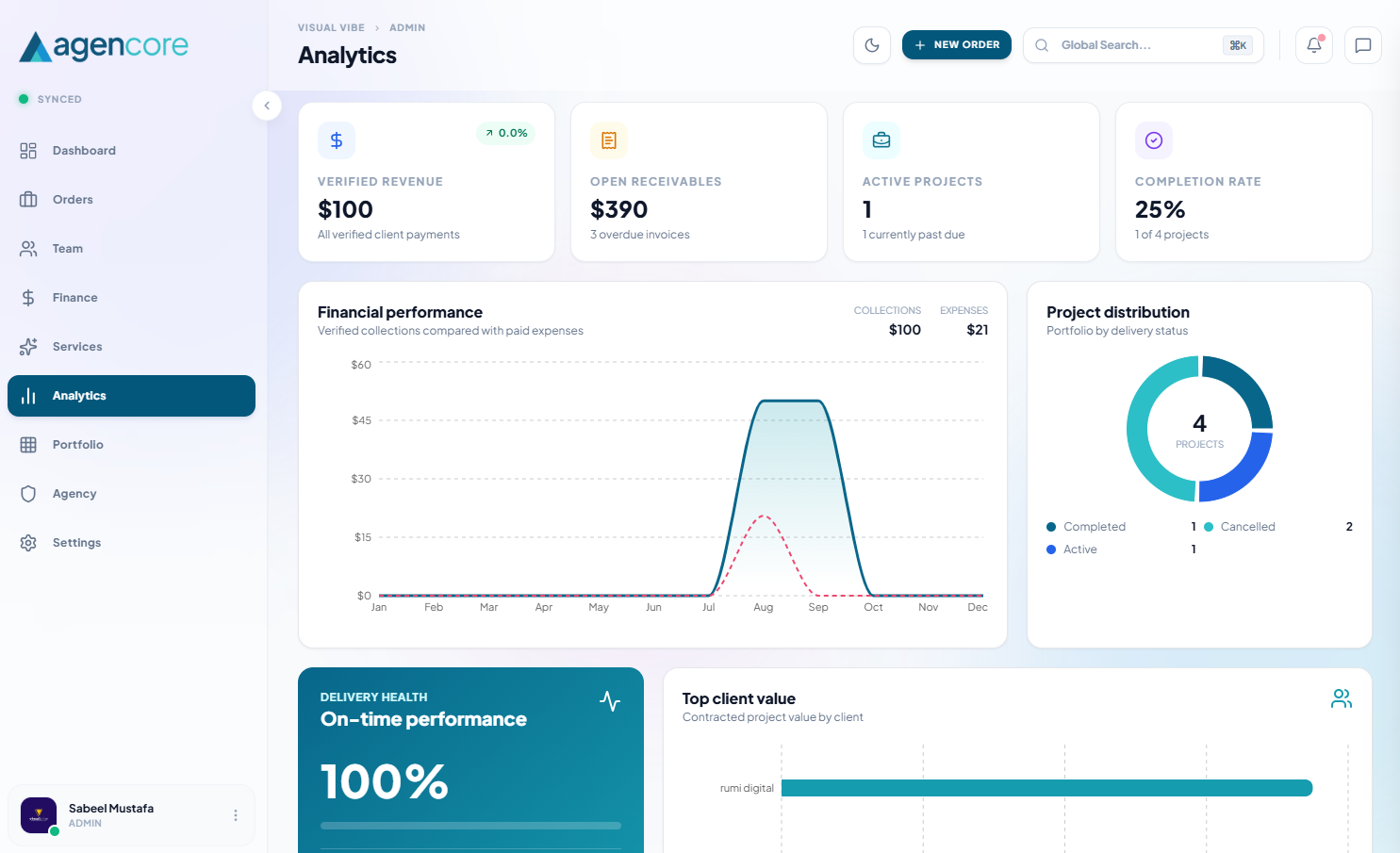
One operating system
Each part of the workspace shares the same project, client and financial records, so updates remain consistent across your operation.
Track scope, milestones, assignments, time, files, approvals, invoices and client communication inside one project.
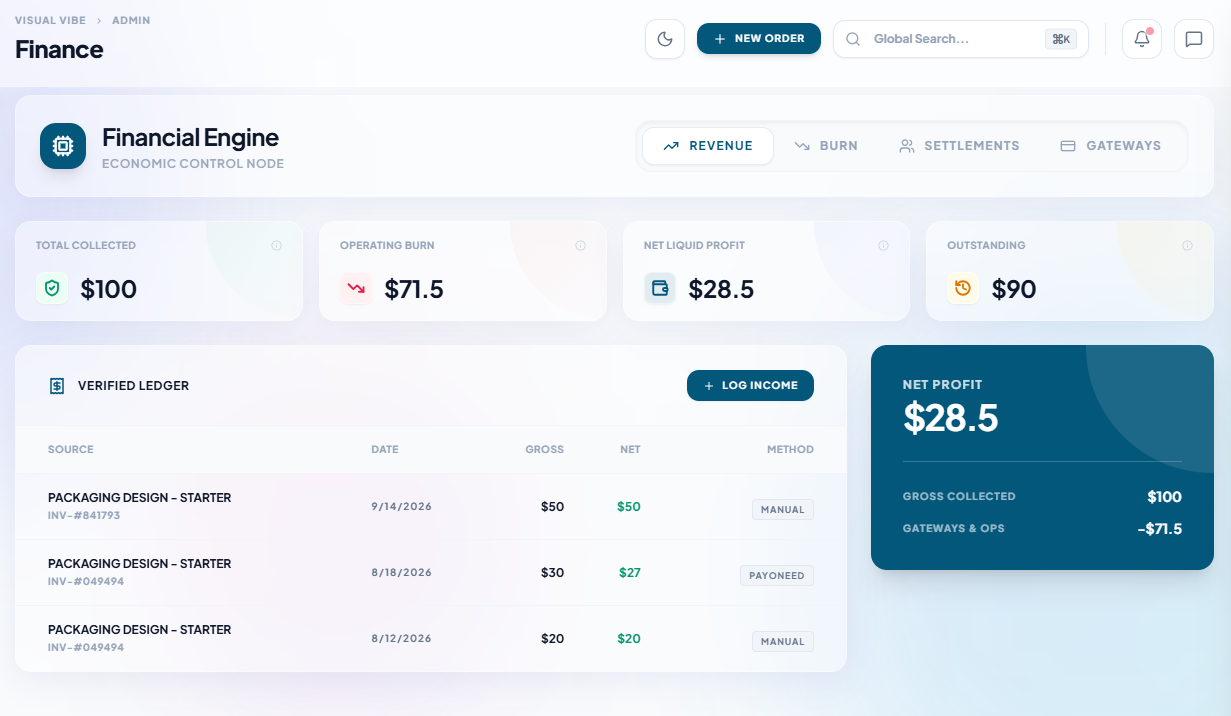
Connect project invoices, verified payments, operating expenses and team settlements to see the financial picture without duplicate spreadsheets.
Give owners, staff, talent and clients the exact access they need while keeping internal costs and discussions private.
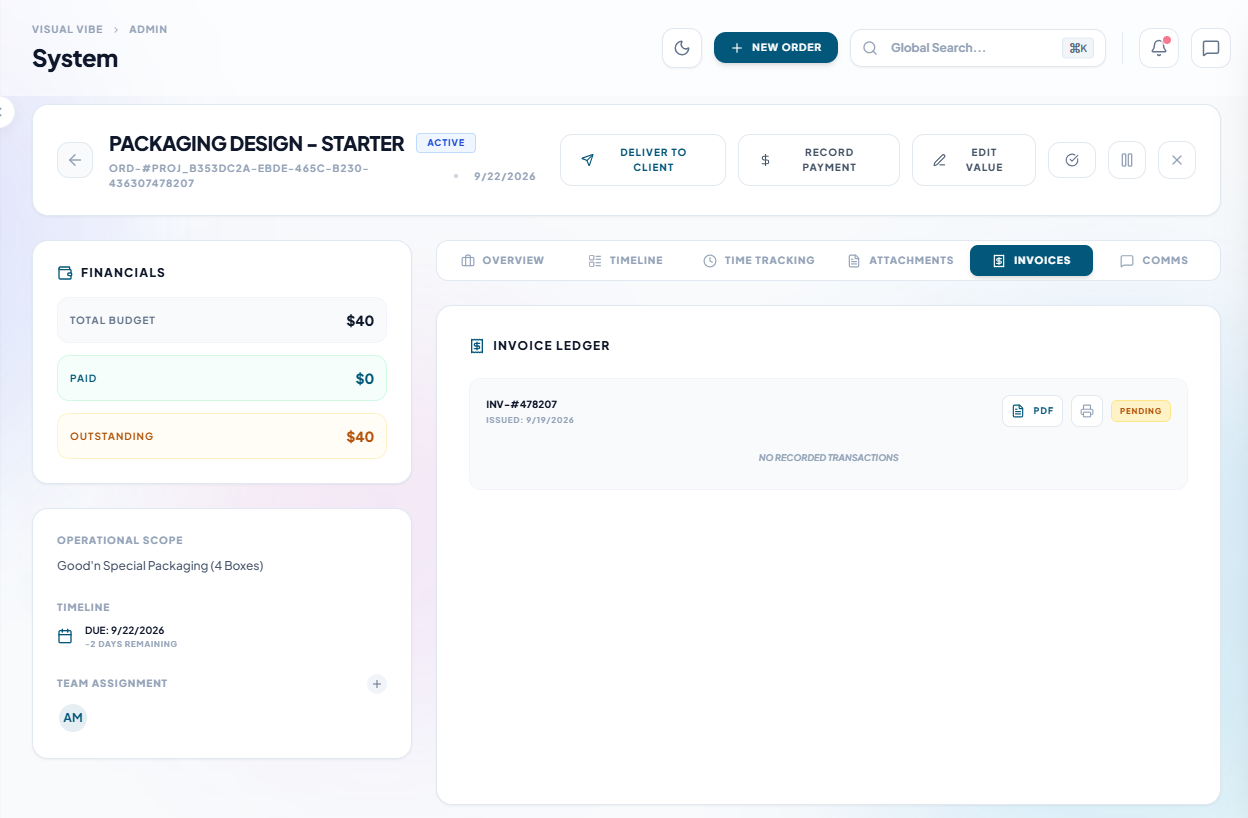
Clients can follow their invoice and payment history alongside delivery progress and approvals.
More of your day, connected
Manage one-off delivery and recurring client relationships with shared service, client and financial records.
Turn a request into work with a clear agreement.
Keep every deliverable and decision together.
Bring people into the right workspace.
Give recurring client billing its own place.
Understand the records behind each balance.
Plan upcoming work and review your operation.
Feature access and limits depend on your package and permissions. Compare current plans.
Recurring client work
Set up a retainer using an existing client and service. Keep its monthly fee, billing date, payment logs and invoices in a focused billing view, separate from your delivery task list.
Select the client and service, then set the monthly fee and billing date.
Choose the billing month and payment date to keep a clear history.
Each recorded payment creates a paid invoice and sends the client an invoice email.
Payments are recorded after you receive them through your chosen payment channel. A billing date does not automatically charge the client’s card.
App maintenance
Monthly fee
$80.00
Billing date
Last day of the month
Payment history
October · $80.00
Paid invoice created
September · $80.00
Paid invoice created
The client receives an invoice email.
Start with the relationship you have
Add people manually when a relationship starts outside the platform. Welcome emails identify your agency and provide initial access details, so they know who added them and where to sign in.
Connect client and talent records to your agency and assign the appropriate role.
New manually onboarded accounts receive login details. Admins can send client login help when access is forgotten.
Admins can activate a retainer for an agreement already made with the client, without waiting for portal acceptance.
Keep people informed
Use workspace notifications and connected tools to keep delivery dates and project updates visible.
Connect a Slack incoming webhook to send project titles and stage changes to your chosen channel.
Requires agency connection and platform setup.
Manually sync milestone deadlines to a connected Google account’s primary calendar as all-day events. Repeated syncs update the same events.
One-way sync; existing calendar events are not imported.
Enable reminders for deadlines, submitted deliveries, internal reviews and overdue collections through workspace notifications and registered push devices.
Reminders must be enabled; these are not reminder emails.
For platform operators
Super Admin tools bring agency subscriptions, payment-proof reviews, account management, package configuration and branding together. Operators can manage blog content and email broadcasts, and review platform-wide visitor, source, page and named-click reports in Audience. These tools are separate from each agency’s operational analytics.
Explore the client-facing workspaceStart with your projects, clients and team. Add financial and reporting workflows as your operation grows.
Agency management software features
Create an order for an existing client and service, define its brief, assign the people responsible and keep files, milestones and discussions together. Your team can review the current state without finding a separate spreadsheet or asking who has the latest version.
Agency owners manage their operation, team members work within their granted permissions, and clients see the work shared with them. Keep internal costs and team discussions within the agency while providing a clear route for client feedback and approval.
Keep invoices and payment records connected to projects. Monthly retainers have their own billing date and payment history. Record received payments to create paid invoices and notify the client, while keeping the agency work list focused on delivery.
During the trial, test a complete path: create a client, choose a service, assign a milestone, submit work for review and record a payment. Check the current pricing page for the limits and features included in each plan before choosing a workspace.
Compare invoice records, payment follow-up and what to test before choosing an agency billing workflow.
Read guidePlan team availability and upcoming work before accepting another client deadline.
Read guideSet up client access, reviews, approvals and invoicing with a clear launch checklist.
Read guide